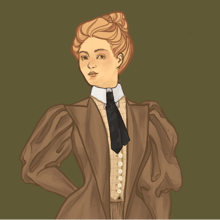
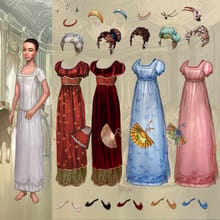
Regency Bella - Old School
Other games









![Elvish Character Creator [V2.3]](https://cdn.meiker.io/cdn-cgi/image/width=220%2Cquality=80/assets/757/2020/07/icon_202007052027465f0237c28e472.png)


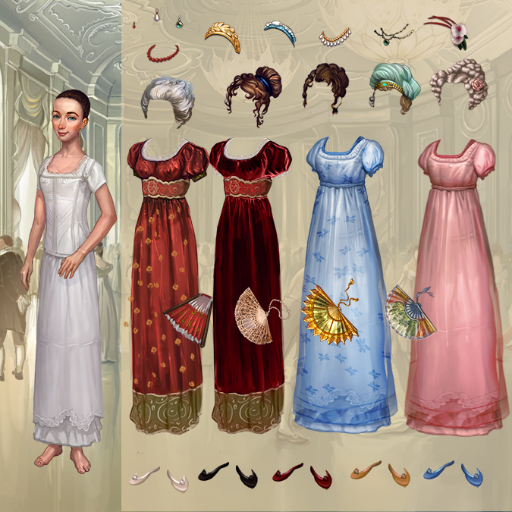
Regency Bella - Old School
Game by dolldivine
Introducint the new [free-drag] feature!
Make old-school drag and drop games, just like in the Flash era!
You can read more about [free-drag] on our wiki:
https://wiki.meiker.info/view/Free_Drag
Make sure to add the additional code to hide the menu if you want the full old school experience ^_^
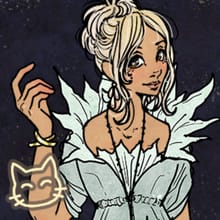
Artwork courtesy of Regency Solitaire card game:
https://www.greyaliengames.com/regencysolitaire/index.php]
FAQ
- Does this work with ref and mirror?
No, not yet. But it will eventually!
- Does this work with dynamic?
No, since the items completely bypass the menu, the dynamic features don't work. This format is meant for simple games like primitive Flash games in the Y2K era.
- How is layer order controlled?
With the [free-drag] tag, items simply stay where you put them. So you can make multiple [free-drag] folders, placing each at the layer order/"Z order" that you like, and they will be draggable in that virtual layer.
- My menu is still showing up! Why?
Removing the menu requires an additional tag. Please see the wiki article for instructions:
https://wiki.meiker.info/view/Free_Drag
- Can my items snap into place?
No, we don't currently have a way to program final item positions. This feature is meant to simulate early Flash games where everything was draggable and simple.
- So can I now make my game in landscape mode?
Not yet, although we are hoping to expand to landscape support soon!
If you have any feedback or bug reports on this new feature, we're always happy to hear from you at [email protected]
Snaps based on this game
No meiker snaps found





![witchsona maker [1.3v] by murirush](https://cdn.meiker.io/cdn-cgi/image/width=220%2Cquality=80/assets/12228/2020/06/icon_202006151047325ee751c4d5199.png)